

Description
Download TryArt Stable – AI image generation, AI illustration, Stable Diffusion, text to image, image to image, free AI tool, generate art, Japanese AI art, commercial use
Overview
TryArt Stable is a free Android application designed to simplify the process of AI-powered image generation. Built around the Stable Diffusion model, the app enables users to create visual content from textual descriptions or existing images. It serves as a practical solution for individuals seeking an accessible, no-login entry point into AI art creation. The software is particularly suited for hobbyists, casual creators, and users interested in exploring digital illustration without technical barriers. By eliminating the need for account registration, it enhances user privacy and streamlines the creative workflow.
The app supports both text-to-image and image-to-image generation, allowing users to transform ideas into visuals or modify existing artwork using AI. This functionality makes it ideal for creating unique illustrations for personal use, social media content, digital avatars, or small-scale design projects. The developer, TryArt, has positioned the tool within the lifestyle and hobbies category, emphasizing creative expression over professional-grade production. All generated images are available for commercial use, expanding their potential applications beyond personal enjoyment.
Key Features & Capabilities
- Text-to-Image Generation: Users can input descriptive text prompts to generate original illustrations. This feature supports creative ideation and rapid prototyping of visual concepts.
- Image-to-Image Transformation: Upload an existing image and apply AI-driven modifications based on a text prompt, enabling style transfers or content enhancements.
- Stable Diffusion Integration: Leverages a well-established AI model known for high-quality, detailed outputs, ensuring visually coherent results.
- Free and No-Login Required: Access the full feature set without registration, simplifying the user journey and reducing friction.
- Commercial Use License: All generated images can be used freely in commercial contexts, which is a significant advantage for content creators and small businesses.
- Japanese Language Support: The interface and prompt system accommodate Japanese text, making it accessible to Japanese-speaking users and supporting culturally specific creative expression.
These features empower users to experiment with visual storytelling, generate unique assets for online platforms, or produce custom artwork for personal branding. The combination of accessibility and licensing flexibility sets TryArt Stable apart in the growing field of AI art tools.
User Interface, Workflow & Performance
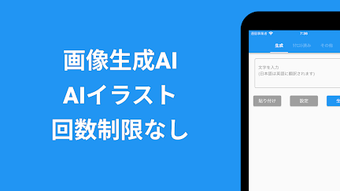
The app features a clean, intuitive interface designed for ease of use across different skill levels. Navigation is straightforward, with clearly labeled input fields for text prompts and image uploads. Users can quickly initiate generation tasks and view results in a dedicated preview area. The workflow follows a linear path: input prompt or image → generate → view output → export or share.
Performance details were not specified by the developer. However, based on general behavior of mobile AI applications, image generation times may vary depending on device capabilities and prompt complexity. The app’s lightweight size of 25.4 MB suggests efficient resource usage, though exact CPU and RAM consumption were not provided. Stability appears to be a priority, as the app functions without requiring a persistent connection or account. The developer did not specify whether background processing or batch generation is supported.
Compatibility & System Requirements
TryArt Stable is designed for Android devices and is compatible with the latest versions of the operating system. The software has a file size of 25.4 MB, indicating a compact installation footprint. The developer did not provide additional system requirements, including minimum RAM, processor specifications, or storage space needed for generated content.
Compatibility information was partially provided. While the app is confirmed to run on Android, details about supported screen sizes, API levels, or device types were not listed. Users should ensure their device meets standard Android app requirements for smooth operation. The developer did not specify whether older Android versions are supported.
Pros and Cons
Pros
- Free to use with no hidden fees or subscriptions
- No login required—ideal for privacy-conscious users
- Supports both text-to-image and image-to-image generation
- Uses the Stable Diffusion AI model for high-quality outputs
- All generated images are available for commercial use
- Japanese language integration for localized creativity
Cons
- Only available on Android—no support for iOS or desktop platforms
- Exact system requirements were not specified
- No information on batch processing or advanced editing tools
- Limited to mobile use; lacks desktop-level functionality
- Performance details, including generation speed, were not disclosed
FAQ Section
Is TryArt Stable available for iOS devices?
The app is currently only available for Android. There is no official version for iOS or desktop platforms.
Can I use the generated images for commercial purposes?
Yes, all images created with TryArt Stable can be used for commercial purposes, including marketing, branding, and product design.
Do I need to create an account to use the app?
No. TryArt Stable does not require a login or account creation. Users can generate images immediately upon opening the app.
Is the app safe to download and use?
As a free Android application, TryArt Stable is designed to be secure for personal use. However, users should download it from trusted sources such as the Google Play Store to ensure authenticity.
How often are updates released?
The developer has not provided information on update frequency. The current version is 1.0.0, released on March 15, 2024.
Final Thoughts + CTA
TryArt Stable stands out as a streamlined, accessible tool for AI-generated illustration, particularly for users in Japan or those interested in Japanese-style AI art. Its combination of free access, no-login setup, and commercial use rights makes it a compelling option for hobbyists and casual creators. While it lacks desktop compatibility and detailed performance data, its core functionality is well-executed and purpose-built for mobile creativity.
For anyone exploring AI art without the need for subscriptions or complex configurations, TryArt Stable delivers a frictionless experience. It’s especially valuable for social media creators, digital artists, and individuals seeking to generate unique visuals quickly.
Download TryArt Stable now
Guides & Tutorials for 画像生成AI AIイラスト TryArt Stable
How to install 画像生成AI AIイラスト TryArt Stable
- Click the Preview / Download button above.
- Once redirected, accept the terms and click Install.
- Wait for the 画像生成AI AIイラスト TryArt Stable download to finish on your device.
How to use 画像生成AI AIイラスト TryArt Stable
This software is primarily used for its core features described above. Open the app after installation to explore its capabilities.
User Reviews for 画像生成AI AIイラスト TryArt Stable 0
No reviews found





